Dust buildup is one of the most common causes of overheating and poor performance in computers. Over time, dust, pet hair, and other debris can collect inside your desktop, MacBook, laptop, or gaming PC, blocking airflow and making your cooling system work harder.
At Computer and Mobile Repair LLC in Madison, TN, we provide professional dust cleanup services to help keep your computer clean, cool, and running efficiently. We are a local family-owned business serving our community since 2015.
Why Is Professional Dust Cleanup Important?
Your computer uses fans and vents to move cool air through the system and remove heat from internal components. When dust builds up inside the device, airflow becomes restricted.
This can cause your computer to run hotter, slower, and louder than normal. Excessive heat may also affect the performance and lifespan of important internal components.
Regular professional cleaning can help improve airflow, reduce overheating, and keep your computer operating more efficiently.
Signs Your Computer May Need Dust Cleanup
Your desktop, MacBook, laptop, or gaming PC may need professional cleaning if you notice:
- Fans running loudly or constantly
- The device feels unusually hot
- Slow or reduced performance
- Unexpected shutdowns or restarts
- Dust is visible around fans and vents
- Higher temperatures while gaming
- The computer freezes during demanding tasks
- Poor airflow from cooling vents
If you notice any of these problems, dust buildup may be affecting your computer’s cooling system.
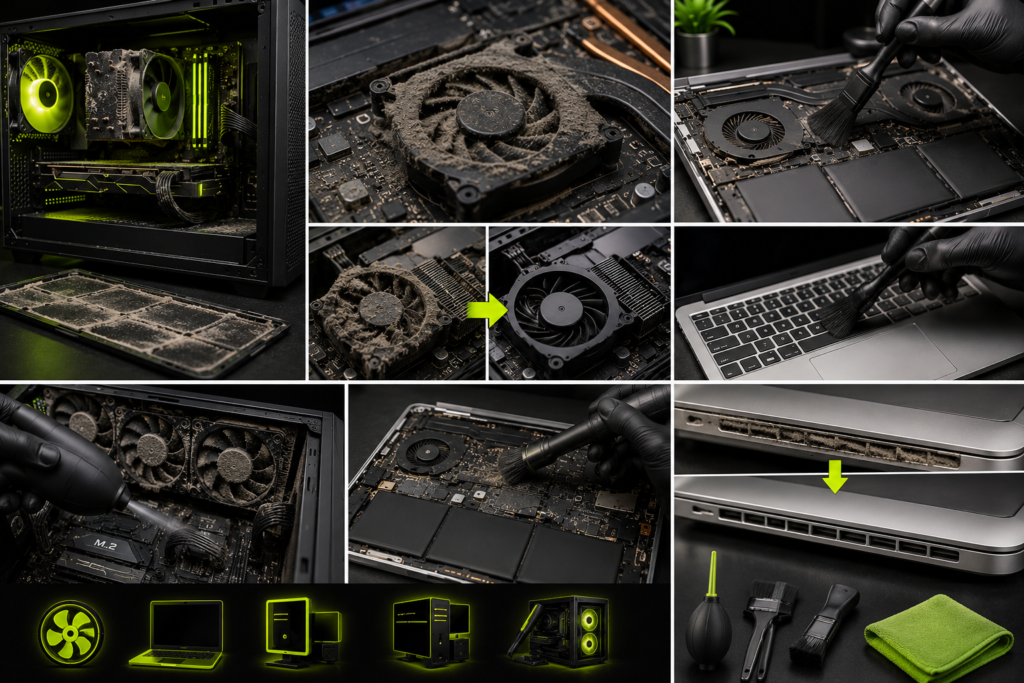
Desktop Computer Dust Cleanup
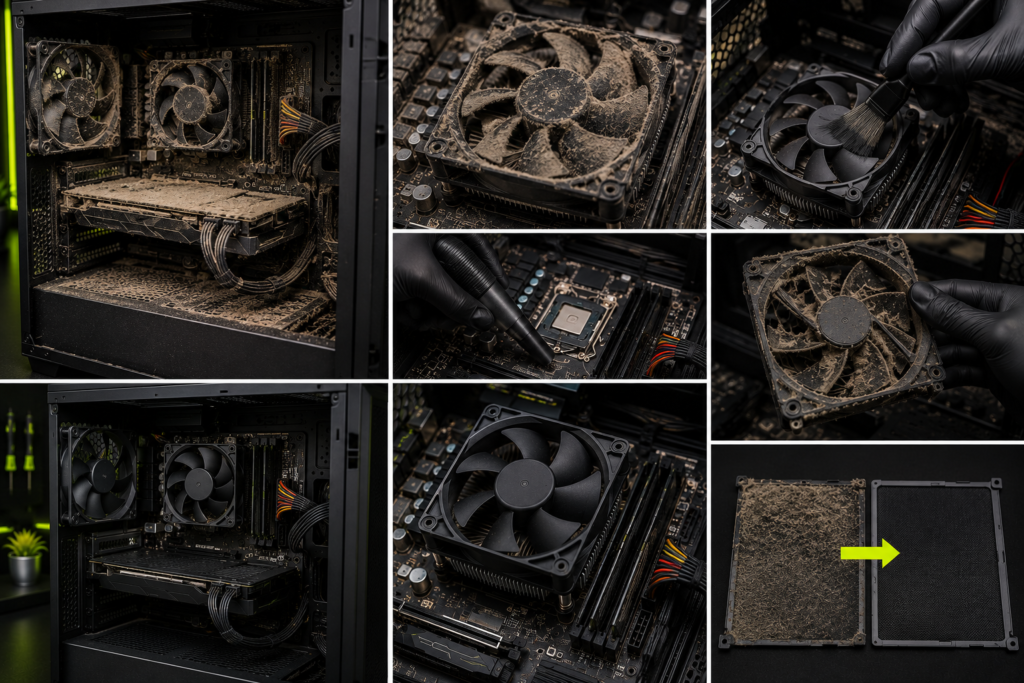
Desktop computers can collect large amounts of dust because their cases use multiple fans to move air through the system.
Dust may build up around the CPU cooler, graphics card, power supply, case fans, motherboard, and other internal components.
Our professional desktop dust cleanup service carefully removes accumulated dust and debris to help restore proper airflow and cooling performance.
Laptop Dust Cleanup
Laptops have compact internal cooling systems with limited airflow. Even a small amount of dust can restrict the fans and cooling vents.
Professional laptop cleaning can help remove dust from the cooling system and improve airflow. Depending on the laptop model and condition, additional services may be recommended if the device continues to overheat.
MacBook Dust Cleanup
MacBook Pro and MacBook Air models can also collect dust and debris inside the cooling system.
If your MacBook is running hot, making unusual fan noises, or experiencing performance problems, professional inspection and cleaning may help identify and address airflow issues.
Our team carefully inspects your MacBook and explains any recommended service before repair work begins.
Gaming PC Dust Cleanup
Gaming PCs often have powerful processors, graphics cards, and multiple cooling fans that generate and manage significant amounts of heat.
Dust buildup can reduce cooling efficiency and increase system temperatures during gaming or other demanding tasks.
Professional gaming PC dust cleanup can help improve airflow around the CPU cooler, GPU, case fans, power supply, and other components.
What Does Our Dust Cleanup Service Include?
Depending on your device and its condition, our professional dust cleanup service may include:
- Inspection of the device and cooling system
- Removal of accumulated dust and debris
- Cleaning around fans and cooling vents
- Cleaning accessible internal components
- Inspection for blocked airflow
- Checking for unusual fan noise
- Visual inspection of the cooling system
- Recommendations for additional repairs when needed
The exact cleaning process depends on your device’s brand, model, design, and condition.
Can Dust Cause a Computer to Overheat?
Yes. Heavy dust buildup can restrict airflow and reduce the cooling system’s ability to remove heat from your computer.
However, overheating can also be caused by failing fans, dried thermal paste, damaged cooling systems, software problems, or other hardware issues.
That is why proper diagnostics are important before deciding which repair or maintenance service your computer needs.
How Often Should You Clean Your Computer?
How often your computer needs cleaning depends on where and how it is used.
Computers may require more frequent cleaning if they are used in environments with:
- Heavy dust
- Pet hair
- Smoke
- Poor ventilation
- Carpeted floors
- High gaming workloads
- Continuous daily use
Regular inspection and professional cleaning can help prevent excessive dust buildup.
Why Choose Computer and Mobile Repair LLC?
We are a family-owned computer and mobile device repair business serving Madison, TN, and surrounding communities since 2015.
Our team provides professional repair and maintenance services with a focus on honest recommendations, clear explanations, and careful workmanship.
We offer free basic diagnostics for many devices, and we explain available service options and pricing before repair work begins.
All repair services are performed at our store location. Walk-ins and appointments are welcome.
Schedule Your Professional Dust Cleanup Service
Is your desktop, MacBook, laptop, or gaming PC overheating, running loudly, or filled with dust?
Bring your device to Computer and Mobile Repair LLC in Madison, TN, for a professional inspection and dust cleanup.
Our team will inspect your device, explain the recommended service, and provide pricing before work begins.
Schedule an appointment or visit our family-owned repair store today.